iOS (iPhone or iPad)
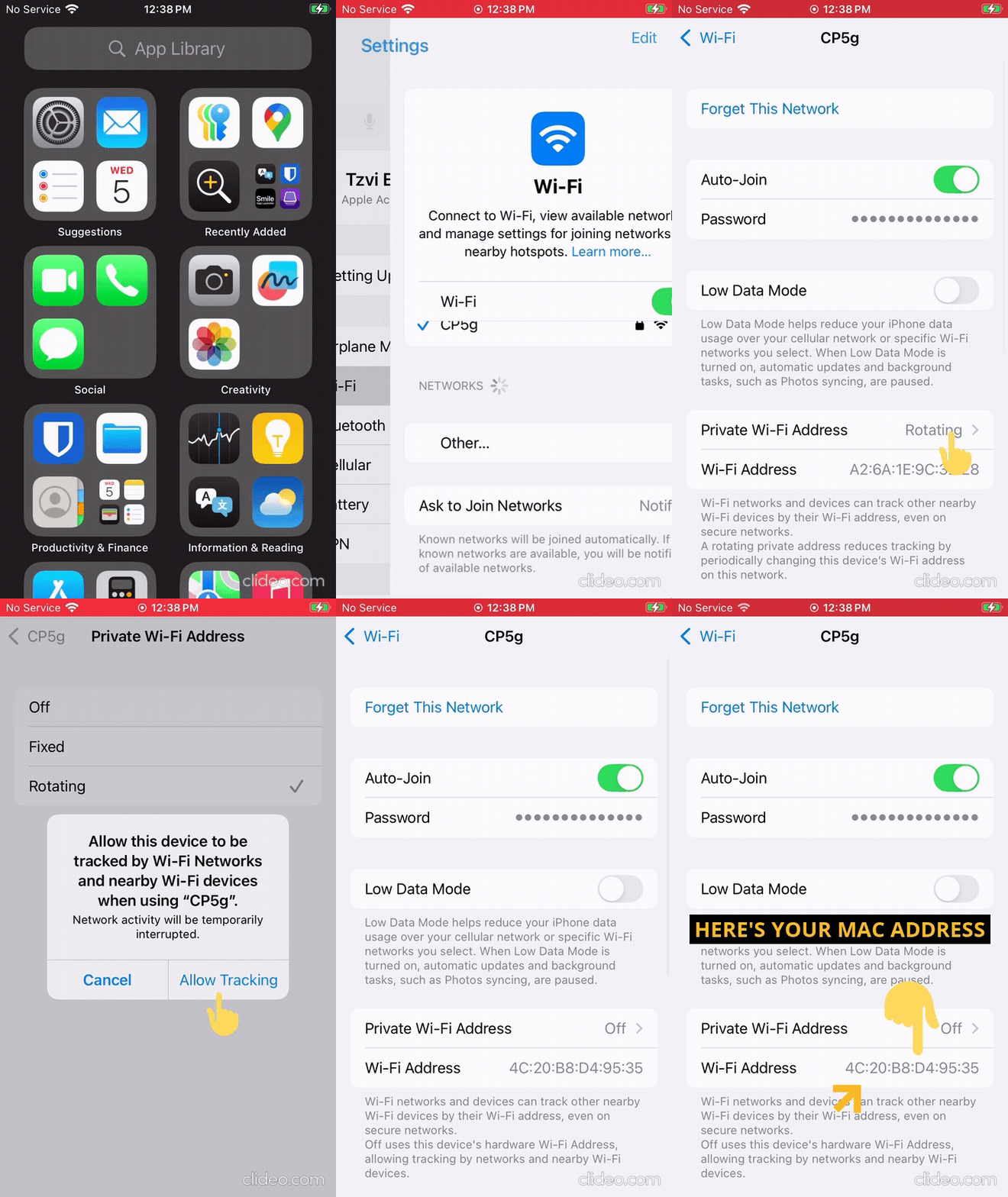
How to retrieve the MAC address of an iOS device
Device needs to be connected to the Webguard Router WiFi before proceeding.
- Go to Settings > WiFi
- Click on the Information icon next to your WiFi name
- Disable Private Wi-Fi Address
- Tap Continue at the prompt
- The MAC address will be visible as the Wi-Fi Address