Windows 11 Computer
How to retrieve the MAC address of a Windows 11 Computer
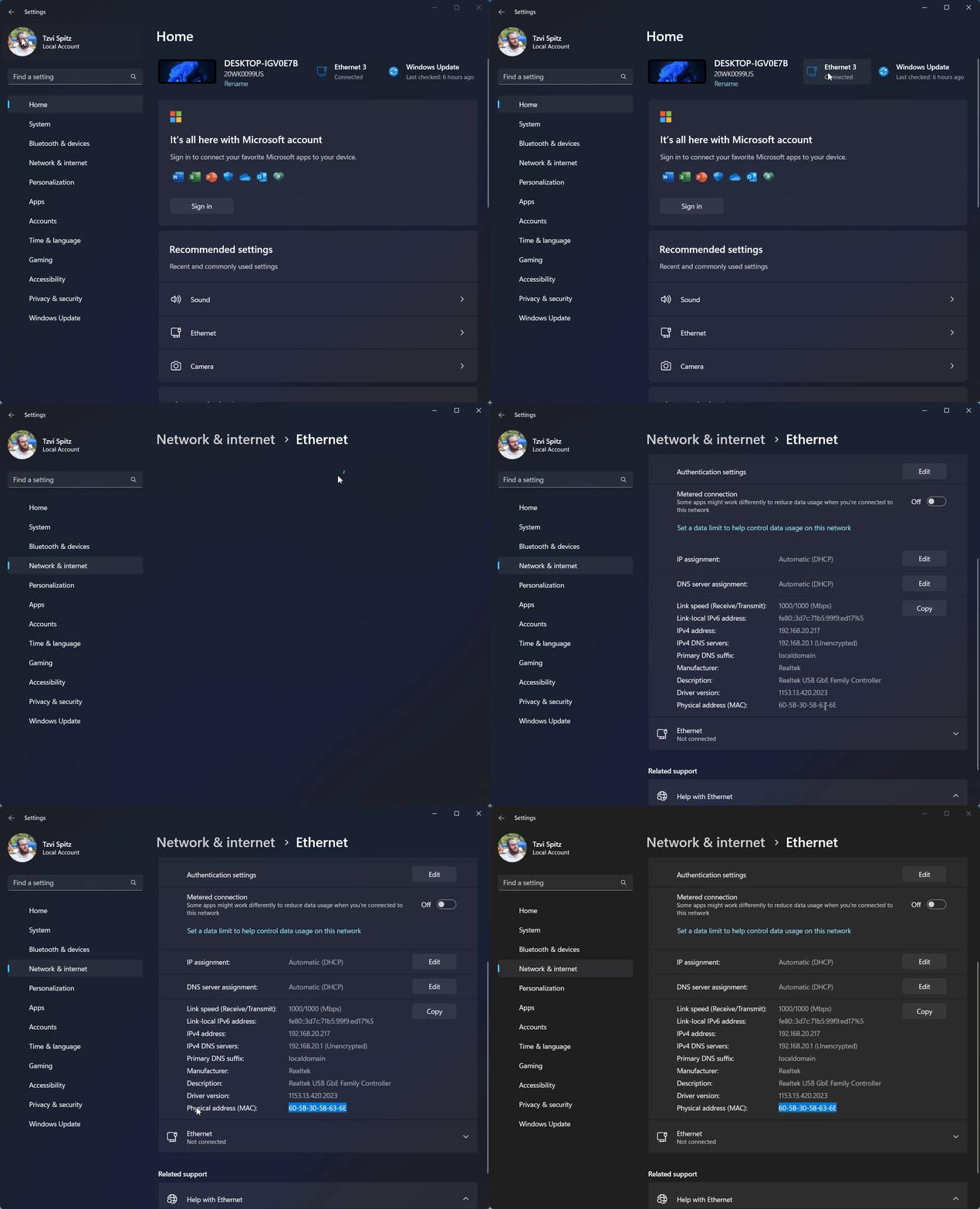
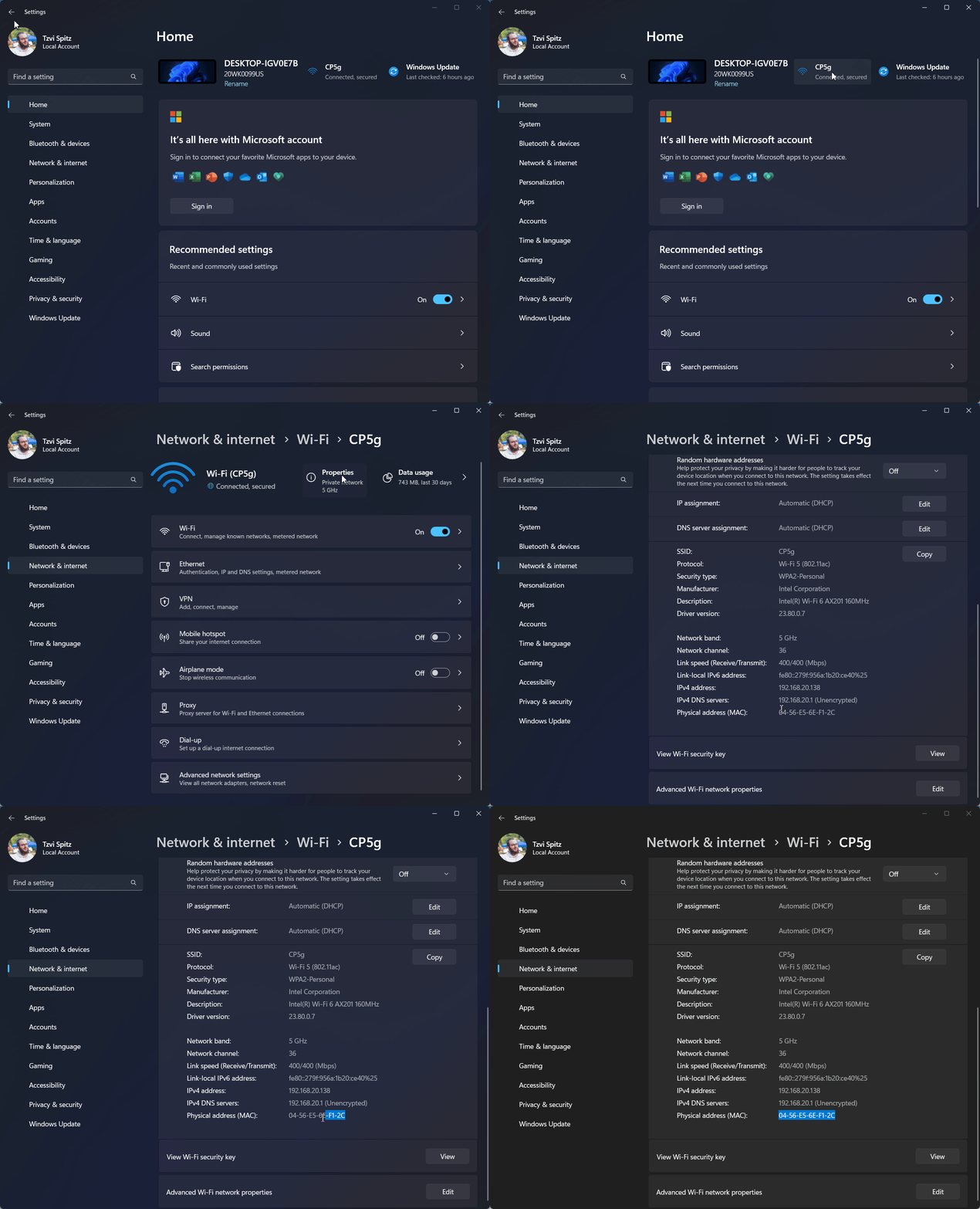
- Ensure device is connected to the Webguard Pro network - either Wired or WiFi
Wired Network
Wireless Network
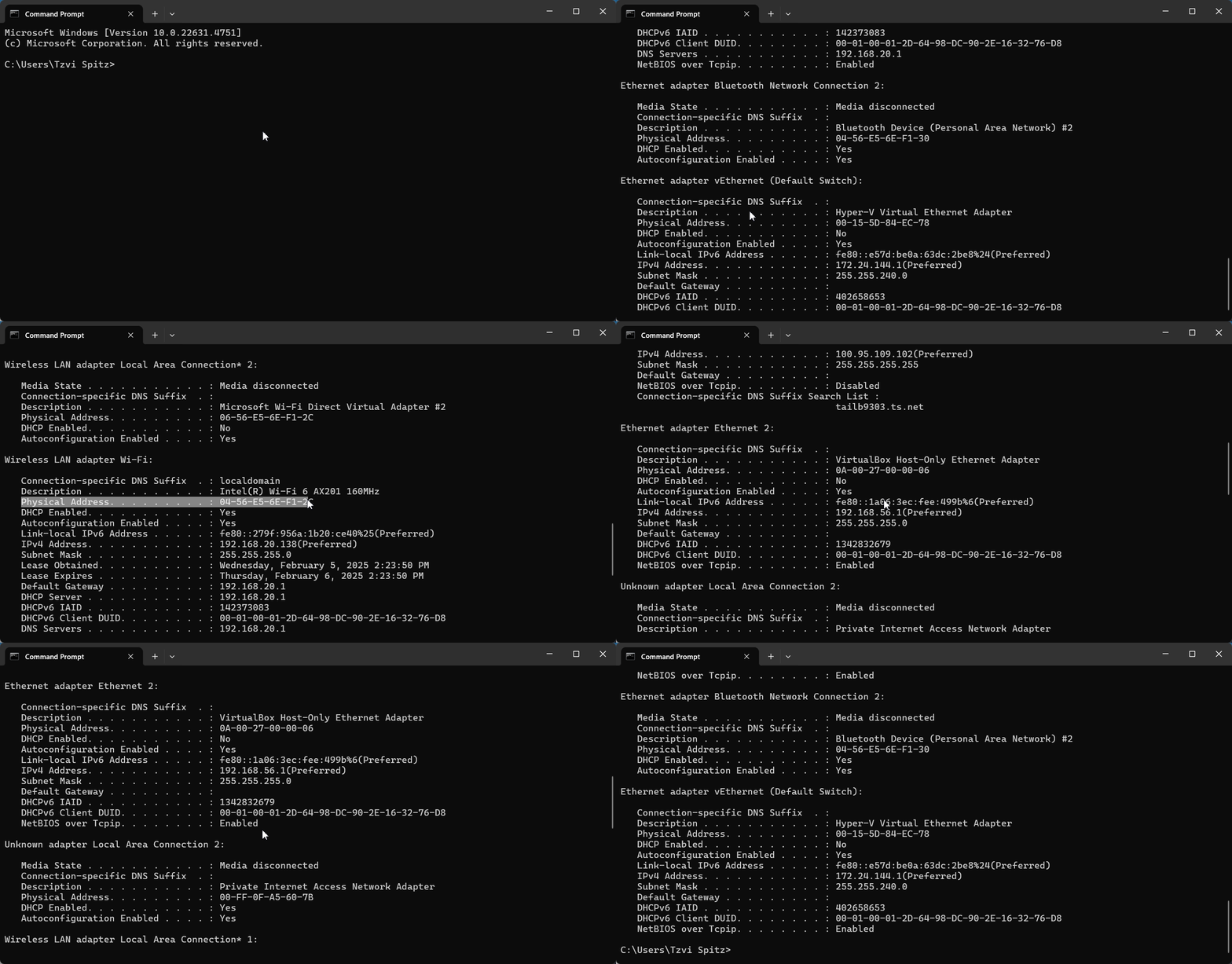
Alternative Method: CMD Line
Open the command prompt, and type ipconfig /all
- The challenge is to make sure that you're looking at the MAC address for the active interface, and not for any other interface
- Make sure the interface has a real IP address (e.g. 192.168.1.100 or 192.168.8.100)