Windows 11 Computer
How to retrieve the MAC address of ana iOSWindows 11 Computer
- Ensure device
Device needs to beis connected to the WebguardRouterPro network - either Wired or WiFi
Wired Network
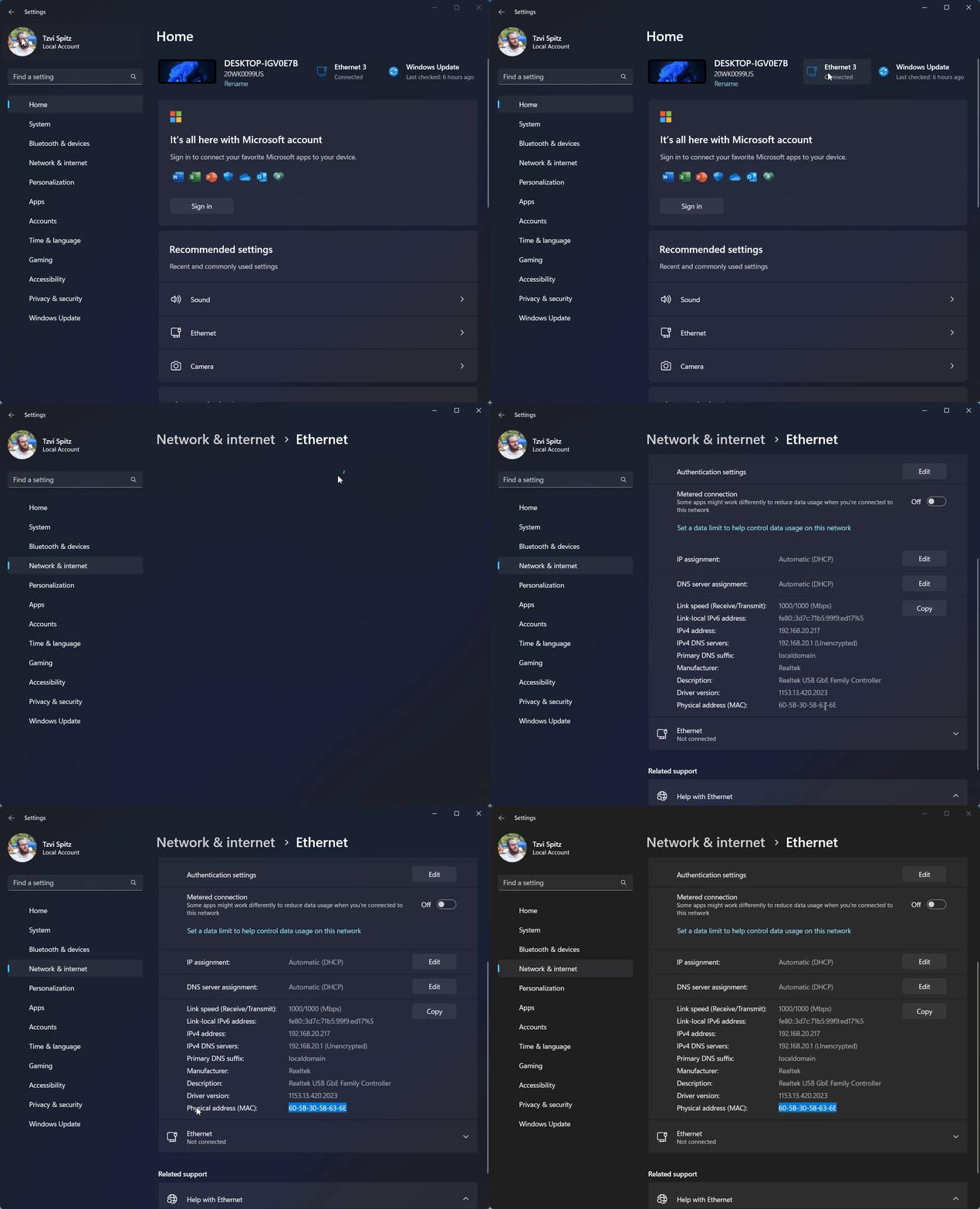
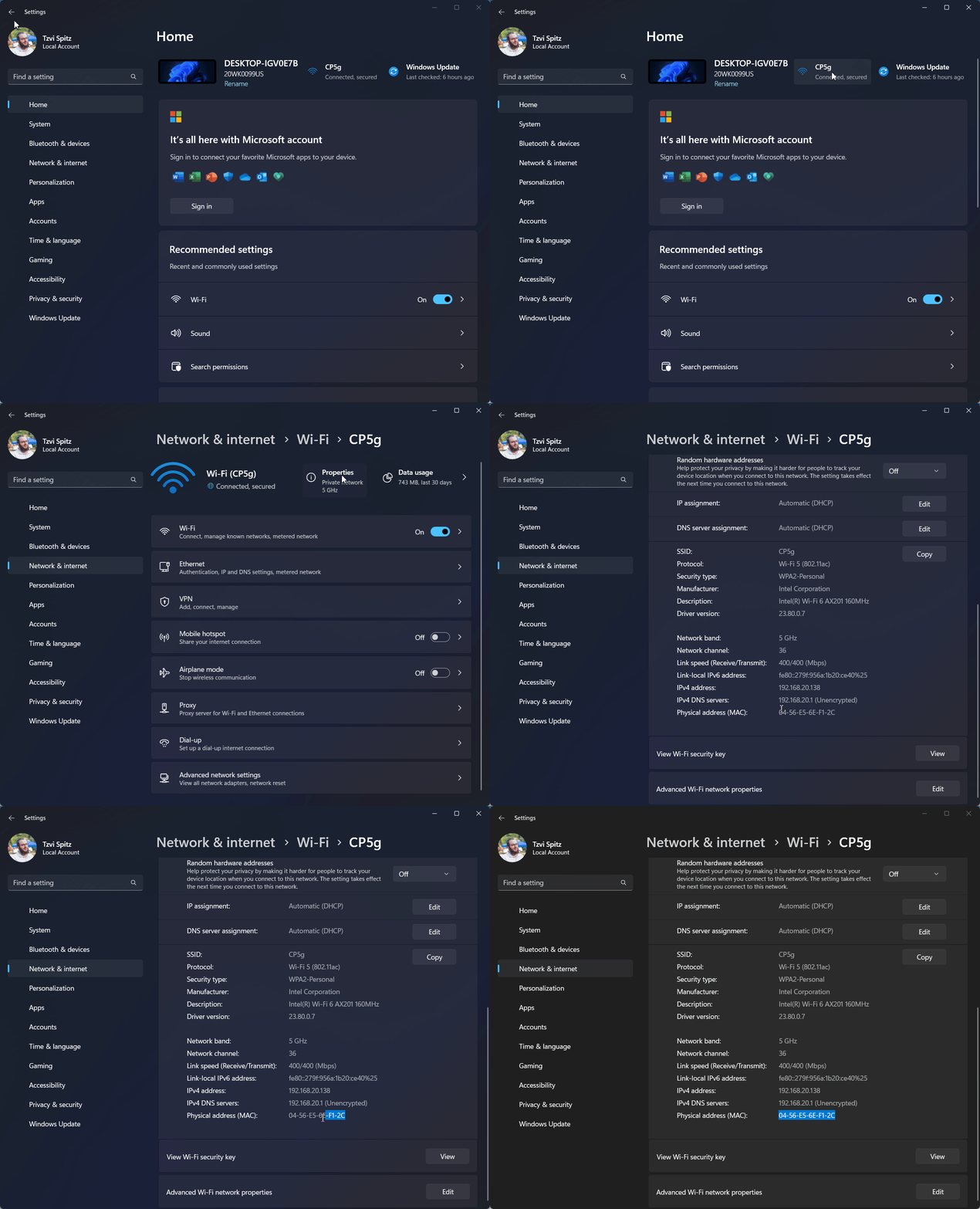
GoThe challenge is toSettingsmake>sureWiFithat you're Click on theInformationicon next to your WiFi nameDisablePrivate Wi-Fi AddressTapContinuelooking at thepromptTheMAC addresswill be visible asfor theWi-FiactiveAddressinterface, and not for any other interface
Wireless Network
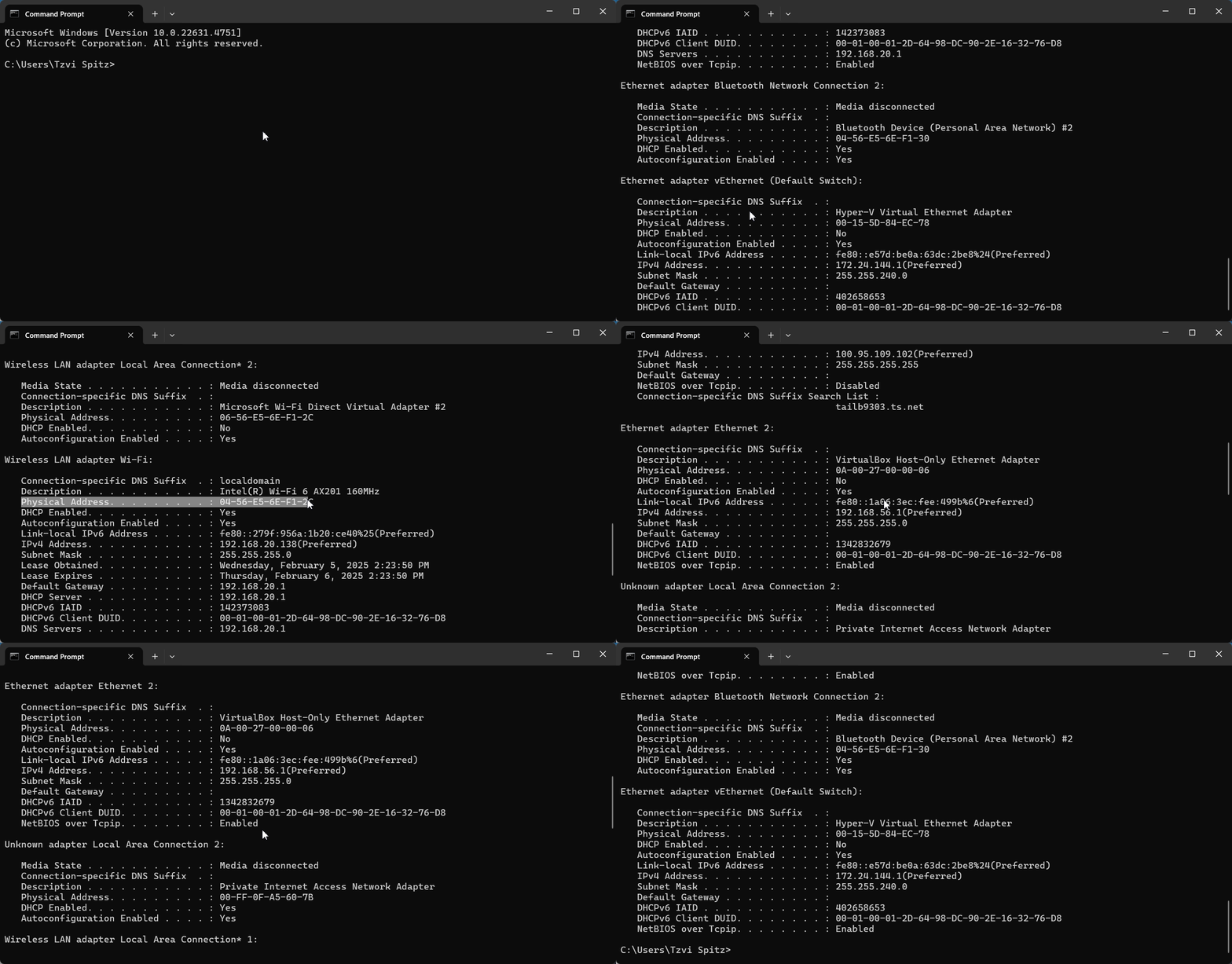
Alternative Method: CMD Line
Open the command prompt, and type ipconfig /all